
bacon
Background code checker for Rust projects that monitors errors, warnings, and test failures in real time with minimal setup and keyboard-driven workflow.
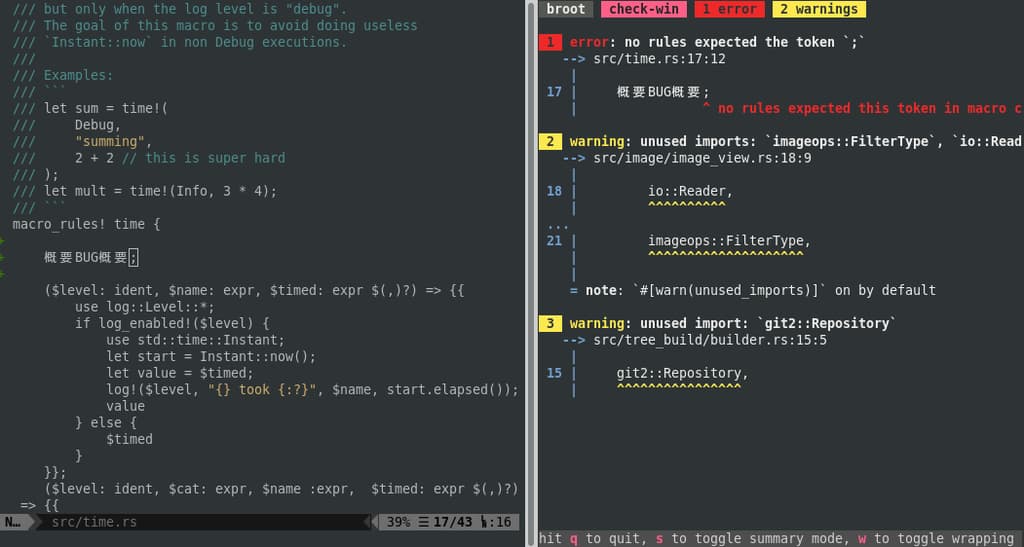
bacon runs silently in the background, watching your Rust code and alerting you to problems as they happen. Unlike traditional workflows where you manually run checks, bacon continuously monitors your project and displays results directly in your editor.
Key capabilities include:
- Instant feedback - Cargo check, clippy, and test results appear automatically without manual commands
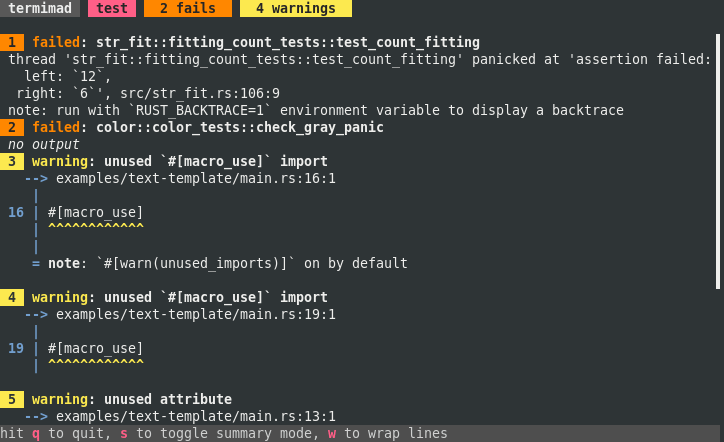
- Keyboard-driven interface - Single key presses switch between jobs (press 'c' for clippy, 't' for tests, 'd' for docs)
- Custom job configuration - Define specialized tasks in bacon.toml for checking examples, targeting specific platforms like Windows, or running custom commands
- Focused debugging - When tests fail, press 'f' to isolate and re-run just the failing test
- Editor integration - Works alongside your existing editor setup with zero disruption
- Minimal configuration - Runs with sensible defaults out of the box, customize only what you need
The tool is built specifically for Rust developers who want continuous feedback without context switching. Installation is straightforward via cargo install --locked bacon, and you can enable optional features like clipboard support or sound notifications at compile time. All configuration is backward compatible, so your setup persists across updates.
Features
Config fileScriptable
Media
Pros
4- Monitors errors, warnings, and test failures in real time
- Minimal setup required for basic usage
- Keyboard-driven workflow for efficient interaction
- Supports custom job definitions via bacon.toml
Cons
1- Optional features like clipboard and sound require specific compilation flags
Related tools


Categories:
Similar to bacon