
broot
Fast, tree-oriented file manager that replaces ls and cd with smart search, previews, and file operations without losing directory context.
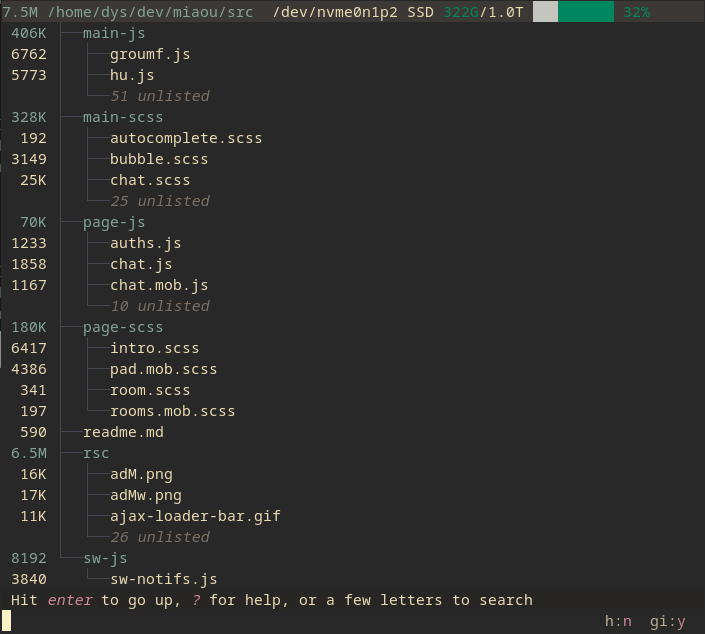
Broot is a modern file navigation tool that transforms how you explore directories and manage files. Unlike traditional commands that flood your terminal with output, broot intelligently filters results and respects .gitignore and .ignore files to keep unwanted files hidden by default.
Key capabilities include:
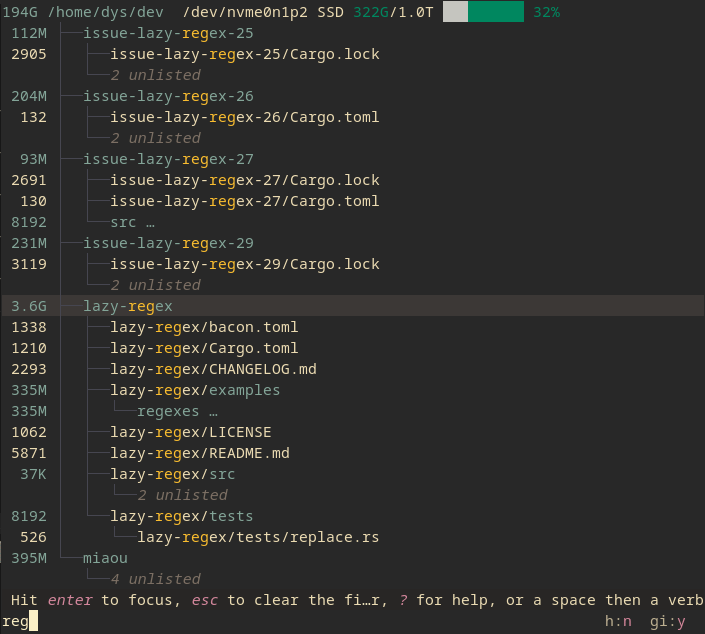
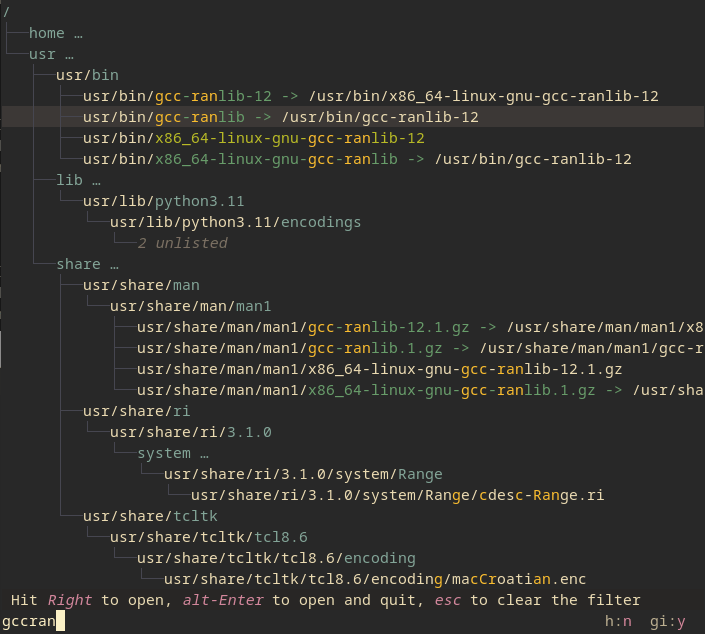
- Smart directory navigation - Type a few letters to find and jump to any directory with minimal keystrokes, with instant feedback that doesn't block your input
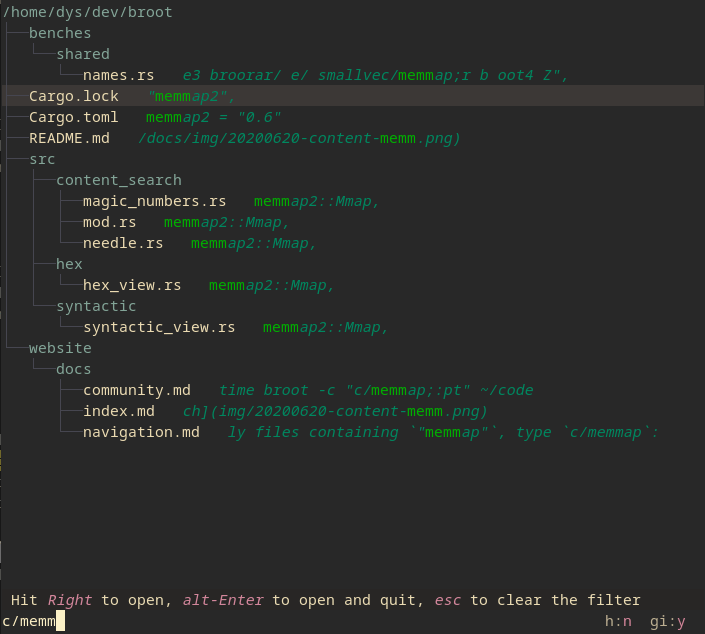
- Powerful search - Use regular expressions, combine patterns with logical operators, and search file contents with patterns like
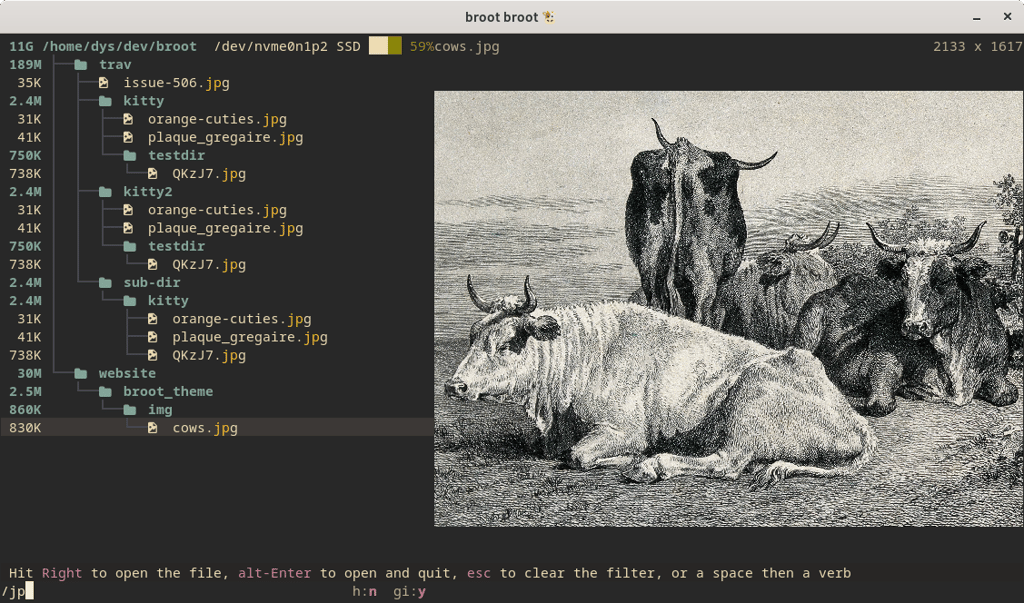
c/for content matching - File previews - Press Ctrl+Right to preview files with high-resolution image support in compatible terminals, or preview PDFs and Office documents
- Multi-panel management - Open side-by-side panels to compare directories and move or copy files between them without losing sight of your file hierarchy
- Built-in file operations - Move, copy, delete, and create directories while viewing the complete context, plus apply custom commands to single or multiple files
- Storage analysis - Use whale-spotting mode to identify space-consuming files and folders, with background computation of sizes and dates
- Git integration - View file statuses, branch information, and change statistics directly within the file tree
- Customizable interface - Toggle hidden files, ignored files, and display options with keyboard shortcuts, and create custom verbs and shortcuts for your workflow
Terminal features
Kitty graphics protocolSplit panes
Media

Pros
4- Efficient directory navigation and file searching
- Built-in file manipulation commands
- Preview files and directories
- Integrates with git for status checks
Related tools
Alternatives
5
nnn– Lightning-fast terminal file manager with minimal footprint

yazi– Blazing fast terminal file manager with async I/O and Lua plugins

ranger– Navigate your filesystem with VI commands and keyboard efficiency

far2l– Powerful terminal file manager with plugins and multi-platform support

z.lua– Navigate directories instantly by learning your most-visited paths


Categories:
Similar to broot