
freeze
Create beautiful PNG, SVG, and WebP images of code snippets and terminal output with customizable themes, fonts, and styling options.
Freeze transforms code files and terminal commands into visually appealing images perfect for documentation, presentations, and social media. Whether you're showcasing a code snippet or capturing command-line output, this tool handles the visual presentation automatically.
Key capabilities include:
- Multiple output formats: Generate PNG, SVG, or WebP images from code or terminal output
- Automatic language detection: Recognizes programming languages from file extensions or content analysis
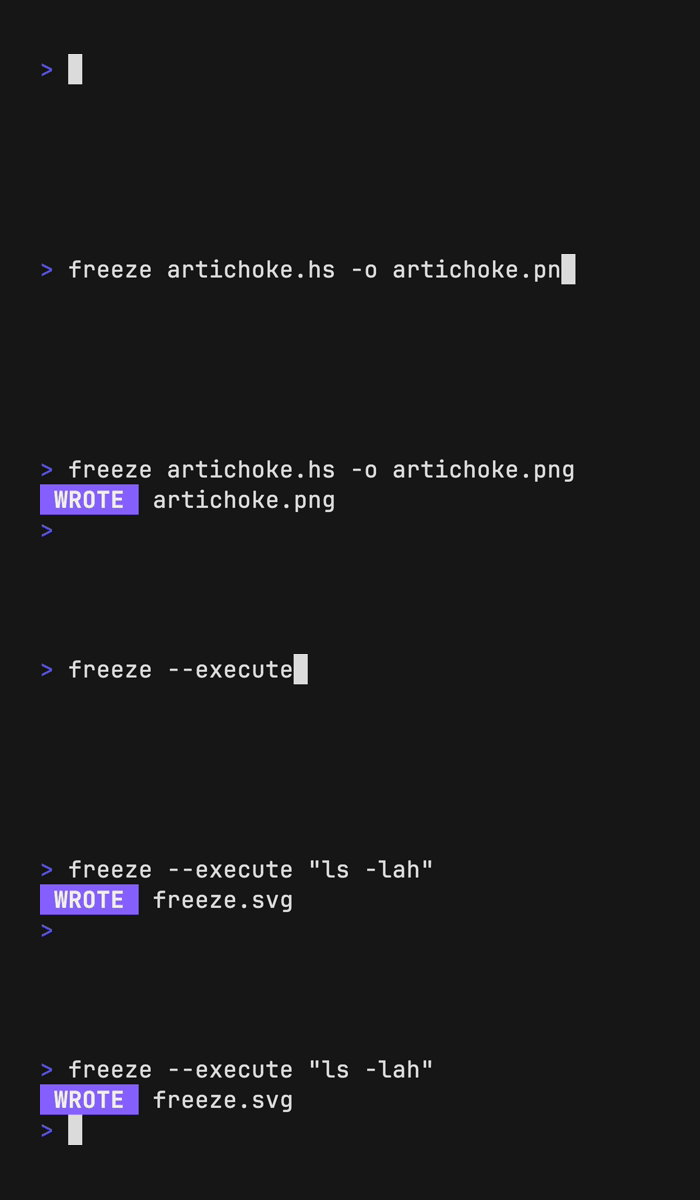
- Terminal command capture: Use the
--executeflag to screenshot ANSI-colored terminal output directly - Extensive customization: Control fonts, colors, themes, borders, shadows, padding, margins, and window styling
- Interactive mode: Launch a fully-featured TUI for real-time customization and preview
- Syntax highlighting: Choose from multiple color themes including Dracula, Nord, and others
- Professional styling: Add window controls, rounded corners, borders, shadows, and custom backgrounds
- Line number support: Display line numbers and capture specific line ranges
- Font flexibility: Specify font family, size, line height, and embed custom font files
The tool works seamlessly from the command line with sensible defaults, while offering granular control through flags or configuration files for advanced users. Perfect for creating consistent, professional-looking code visuals across your projects.
Install
Brew
$ brew install charmbracelet/tap/freezeFeatures
Config fileScriptable
Media

Pros
4- Generates images of code and terminal output.
- Supports PNG, SVG, and WebP output formats.
- Highly customizable themes, fonts, and styling options.
- Includes an interactive TUI for easy configuration.
Related tools
Categories:
Similar to freeze