
Gemini CLI
Query codebases, generate apps from images/PDFs, and automate workflows directly from your terminal using advanced AI capabilities.
Gemini CLI brings artificial intelligence directly to your development workflow, eliminating the need to switch between tools and interfaces. Work with large codebases efficiently by querying and editing code through natural language commands, making complex refactoring and navigation tasks significantly faster.
Generate complete applications from visual inputs like images or PDFs, transforming design mockups and documentation into functional code. This capability bridges the gap between design and development, reducing manual coding time and improving accuracy.
Key capabilities include:
- Query and edit large codebases with AI assistance
- Generate applications from images and PDF documents
- Automate complex development workflows
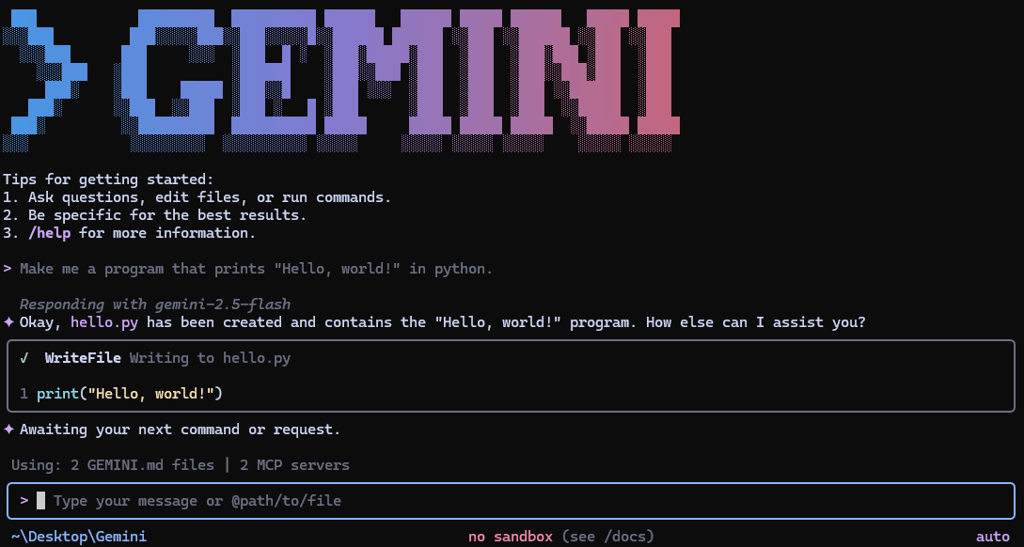
- Execute all operations directly from your terminal
- Integrate seamlessly into existing development pipelines
The tool leverages Gemini 3's advanced capabilities to understand context, generate accurate code, and handle sophisticated development tasks. Installation is straightforward with npm, making it accessible to developers across different environments and projects. Whether you're debugging production issues, building new features, or automating repetitive tasks, this CLI tool reduces context switching and keeps you in your terminal where you're most productive.
Install
$ npm install -g @google/gemini-cli$ npm install -g @google/gemini-cli@preview$ npm install -g @google/gemini-cli@latest$ npm install -g @google/gemini-cli@nightlyFeatures
Media
Pros
4- Build, debug, and deploy code using AI
- Query and edit large codebases
- Generate applications from images or PDFs
- Automate complex workflows
Related tools
Alternatives
5





Works with
4



Activity score
100/100
Stars
107,304Forks
14,708Latest version
v0.63.0Last commit
4 days agoFirst release
1 yearLanguage
TypeScriptLicense
Apache-2.0
Auto-fetched .
Recent releases
- 10 days ago
- 17 days ago
- 23 days ago
- 1 month ago
- 1 month ago
Similar to Gemini CLI