gitmoji-cli
Interactive CLI tool for adding gitmoji to commit messages. Search, browse, and automatically generate commits with emoji that convey intent and improve code history readability.
gitmoji-cli is an interactive command-line tool that brings semantic emoji to your Git commits. Instead of writing plain commit messages, you can use standardized emoji codes that instantly communicate what type of change you're making—whether it's a bug fix, feature addition, documentation update, or performance improvement.
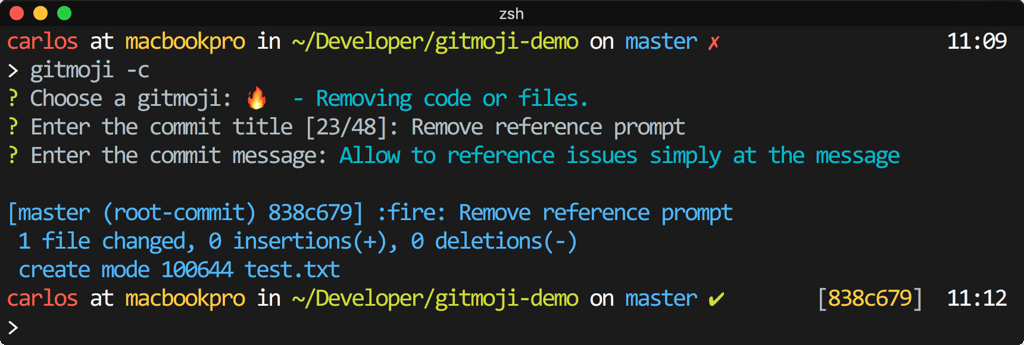
The tool eliminates the friction of remembering emoji codes or searching through lists. Simply run the interactive commit prompt, answer a few questions about your changes, and gitmoji-cli automatically formats your commit message with the appropriate emoji. It works in two modes: client mode for quick one-off commits, or hook mode for seamless integration into your project's Git workflow.
Key capabilities include:
- Interactive commit builder - Answer prompts about your changes and get a properly formatted commit message
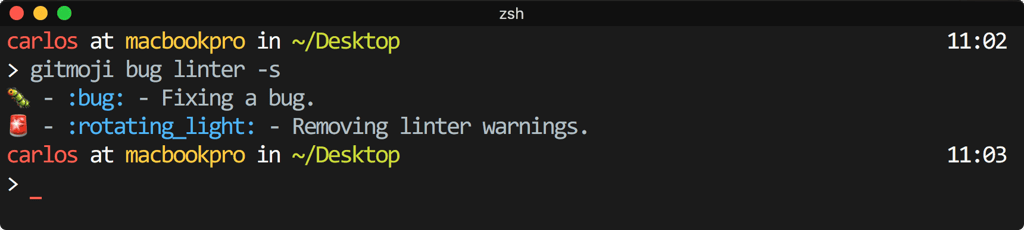
- Search functionality - Find the right emoji by searching keywords
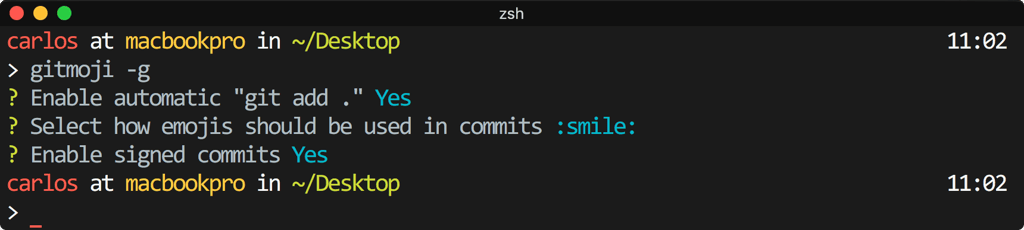
- Flexible configuration - Customize emoji format, auto-add behavior, scope prompts, and more via package.json or .gitmojirc.json
- Offline support - Caches emoji list locally so you can work without internet
- Git hook integration - Install as a commit hook for automatic prompts on every commit
- Conventional commits support - Optional scope prompts aligned with conventional commit standards
Install globally via npm or Homebrew, then initialize it in your project. Your commit history becomes more scannable and meaningful, making it easier for team members to understand what each commit accomplished at a glance.
Install
$ npm i -g gitmoji-cliFeatures
Media

Pros
4- Interactive tool for adding gitmoji to commit messages
- Supports commit hooks for better integration
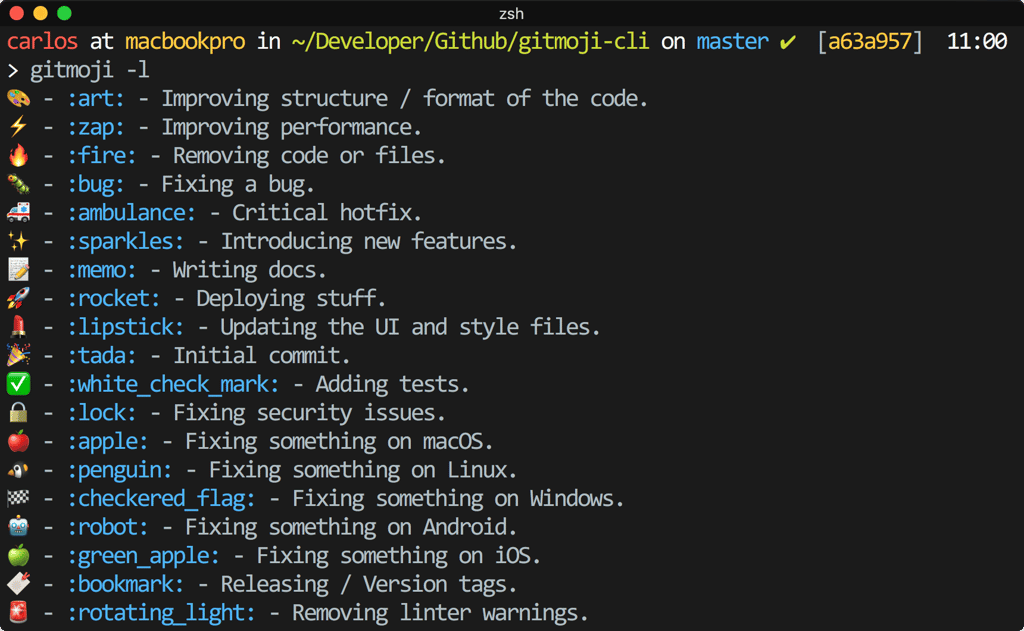
- Allows searching and listing available gitmojis
- Configurable via package.json or .gitmojirc.json
Related tools


Activity score
88/100
Stars
4,830Forks
212Latest version
v9.7.0Last commit
8 days agoFirst release
10 yearsLanguage
JavaScriptLicense
MIT
Auto-fetched .
Recent releases
- 1 year ago
- 2 years ago
- 2 years ago
- 2 years ago
- 2 years ago
Similar to gitmoji-cli