
kondo
Command-line tool that scans and removes unnecessary files like node_modules and build directories across 20+ project types to reclaim storage space.
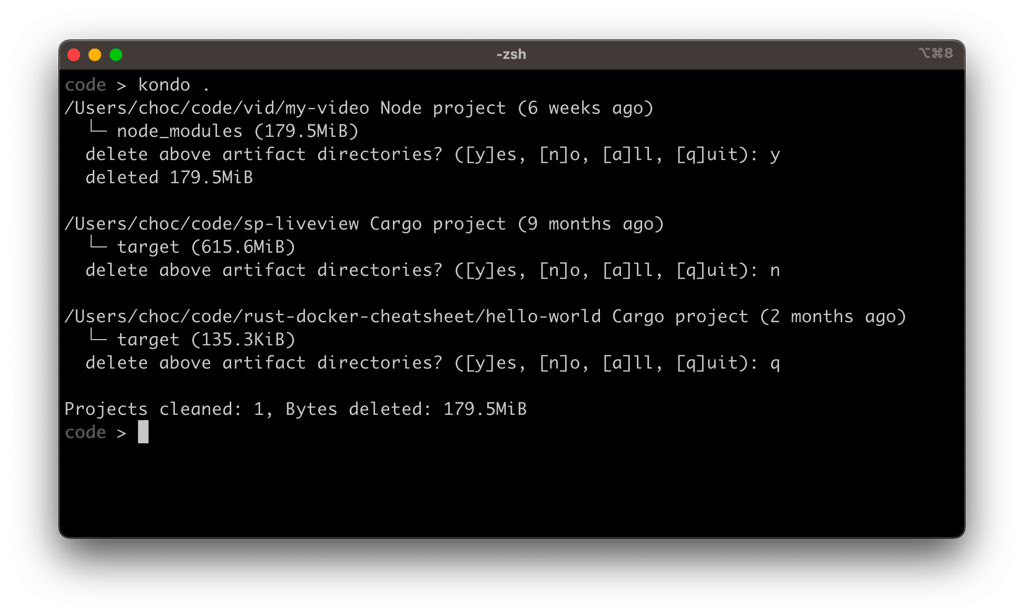
Kondo is a command-line utility that automatically identifies and removes bloated dependency folders and build artifacts from your development projects. Instead of manually hunting down node_modules, target, build, and similar directories, kondo scans your project structure and safely removes these space-consuming files with a confirmation prompt.
The tool supports over 20 project types including Rust (Cargo), Node.js, Python (Pixi, Jupyter), Java (Maven, Gradle), C/C++ (CMake), PHP (Composer), C# (.NET, Unity), Dart (Pub), Haskell (Stack, Cabal), Swift, Zig, Elixir, Scala (SBT), and more. This broad compatibility makes it invaluable for developers working across multiple languages and frameworks.
Key benefits include:
- Reclaim gigabytes of storage by removing accumulated dependencies without losing source code
- Backup projects efficiently without including massive dependency folders
- Filter by age to target only projects you haven't touched in months
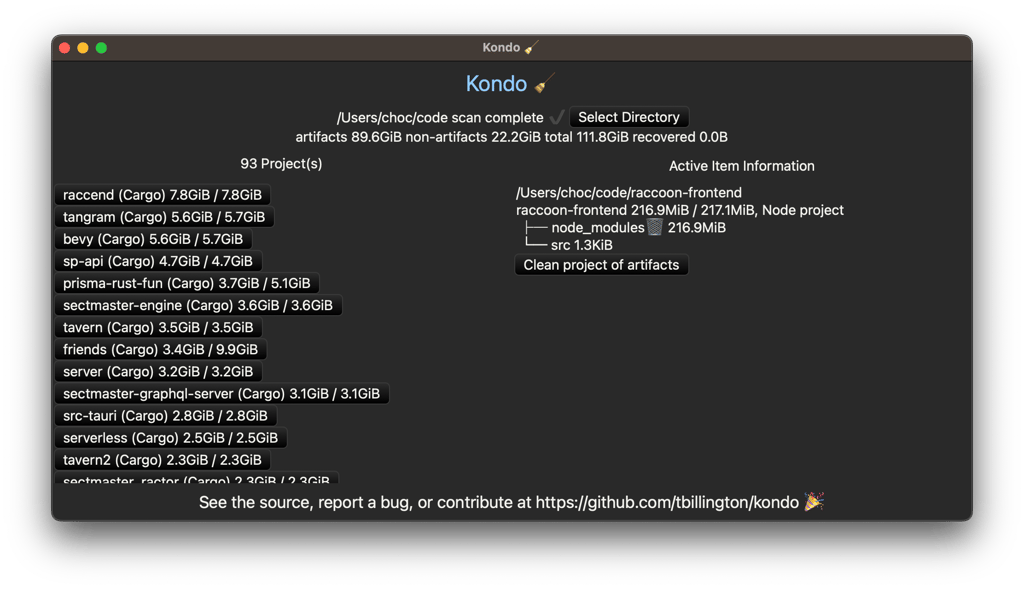
- Cross-platform support with both CLI and GUI interfaces available
- Safe operation with confirmation prompts before deletion
Whether you're managing multiple experimental projects, preparing code for backup, or simply optimizing disk space, kondo handles the cleanup automatically across your entire development environment.
Install
$ winget install kondo$ winget install kondo-uiFeatures
Media

Pros
4- Cleans unnecessary files like node_modules and build directories
- Supports over 20 project types
- Offers both CLI and GUI interfaces
- Can filter projects by last modified time
Cons
2- Essentially `rm -rf` with a prompt, use with caution
- Requires backups of projects
Related tools


Similar to kondo