
edit
Lightweight TUI text editor under 250KB with mouse support, multi-file tabs, regex find-and-replace, and familiar GUI-like commands for Windows and WSL users.
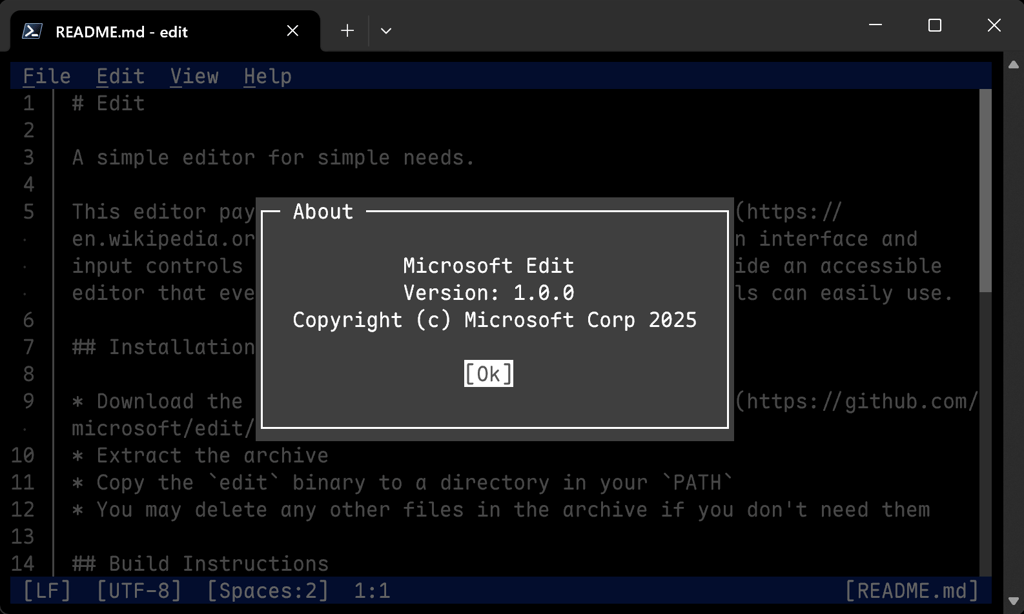
A lightweight terminal text editor that brings back the simplicity of MS-DOS Edit with modern conveniences. Perfect for Windows servers, WSL environments, and situations where installing Vim or Nano isn't practical, Edit delivers an accessible editing experience without sacrificing functionality.
Key capabilities include:
- Modeless operation with mouse actions and familiar VS Code-style shortcuts
- Multi-file editing with simultaneous tabs for quick context switching
- Find-and-replace using Ctrl + R with full regex support
- Quick file switcher via Ctrl + P for rapid navigation
- Word-wrap toggle and persistent menu shortcuts for efficient workflows
- UTF-8 support with Windows clipboard integration
- Minimal footprint at under 250KB binary size
- Light themes and comprehensive undo history
- Status metrics display for real-time editing information
Designed for both terminal novices and experienced users, Edit eliminates the learning curve of complex editors while maintaining the power needed for everyday editing tasks. The intuitive interface combines GUI-like behavior with command-line efficiency, making it ideal for remote sessions and quick edits where a full IDE would be overkill.
Install
Winget
$ winget install Microsoft.EditMedia
Pros
4- Lightweight TUI text editor under 250KB
- Modern interface with GUI-like commands
- Mouse support and multi-file tabs
- Regex find-and-replace functionality
Cons
1- May conflict with existing 'edit' commands on some systems
Related tools
Alternatives
3



Categories:
Similar to edit