
soft-serve
A self-hostable Git server featuring an intuitive TUI over SSH, support for multiple clone protocols, Git LFS, and flexible access control with public key authentication.
A self-hostable Git server designed for developers who want full control over their repositories. Access your code through an elegant terminal user interface over SSH, browse repositories and files directly from the command line, and manage everything without relying on external services.
Key capabilities include:
- Navigate repositories through an intuitive TUI accessible via SSH
- Clone repositories using SSH, HTTP, or Git protocol
- Full Git LFS support with both HTTP and SSH backends
- Create and manage repositories on demand via SSH or git push
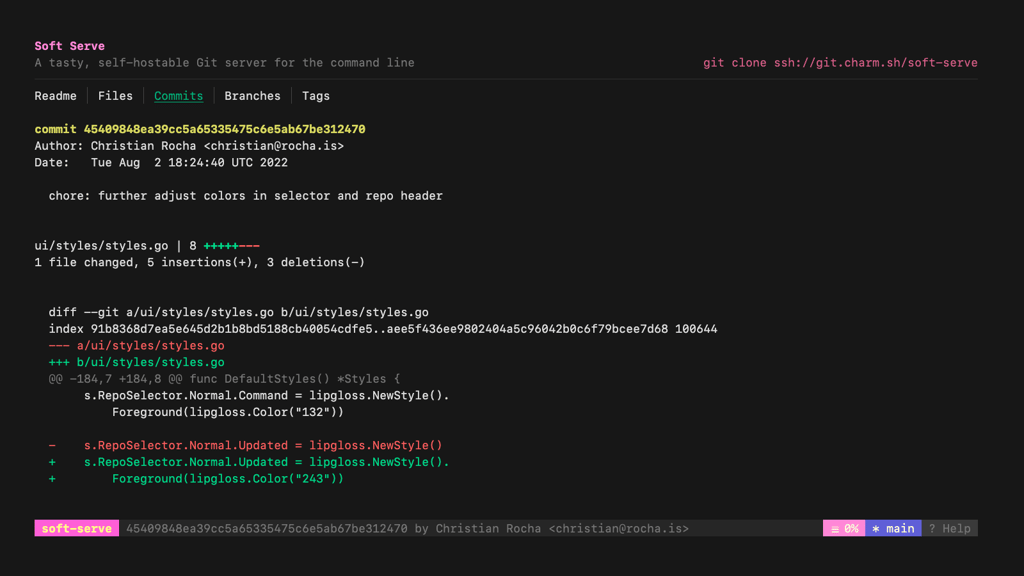
- Browse repository contents, files, and commit history through SSH
- Display files with optional syntax highlighting and line numbers
- Flexible access control with SSH public key authentication
- Support for anonymous access, collaborators, public/private repositories, and user access tokens
Installation is straightforward with packages available for macOS, Linux, Windows, and Docker. Simply run soft serve to start—it creates a data directory for repositories, SSH keys, and configuration. The server supports multiple protocols simultaneously and includes comprehensive configuration options for SSH, Git daemon, and HTTP services.
Perfect for teams wanting a lightweight, self-contained Git hosting solution that works entirely from the terminal.
Install
$ brew install charmbracelet/tap/soft-serveFeatures
Shell features
Media




Pros
4- Self-hostable Git server with an intuitive TUI
- Supports multiple clone protocols (SSH, HTTP, Git)
- Flexible access control with public key authentication
- Git LFS support over SSH and HTTP
Related tools



Similar to soft-serve