
bluetui
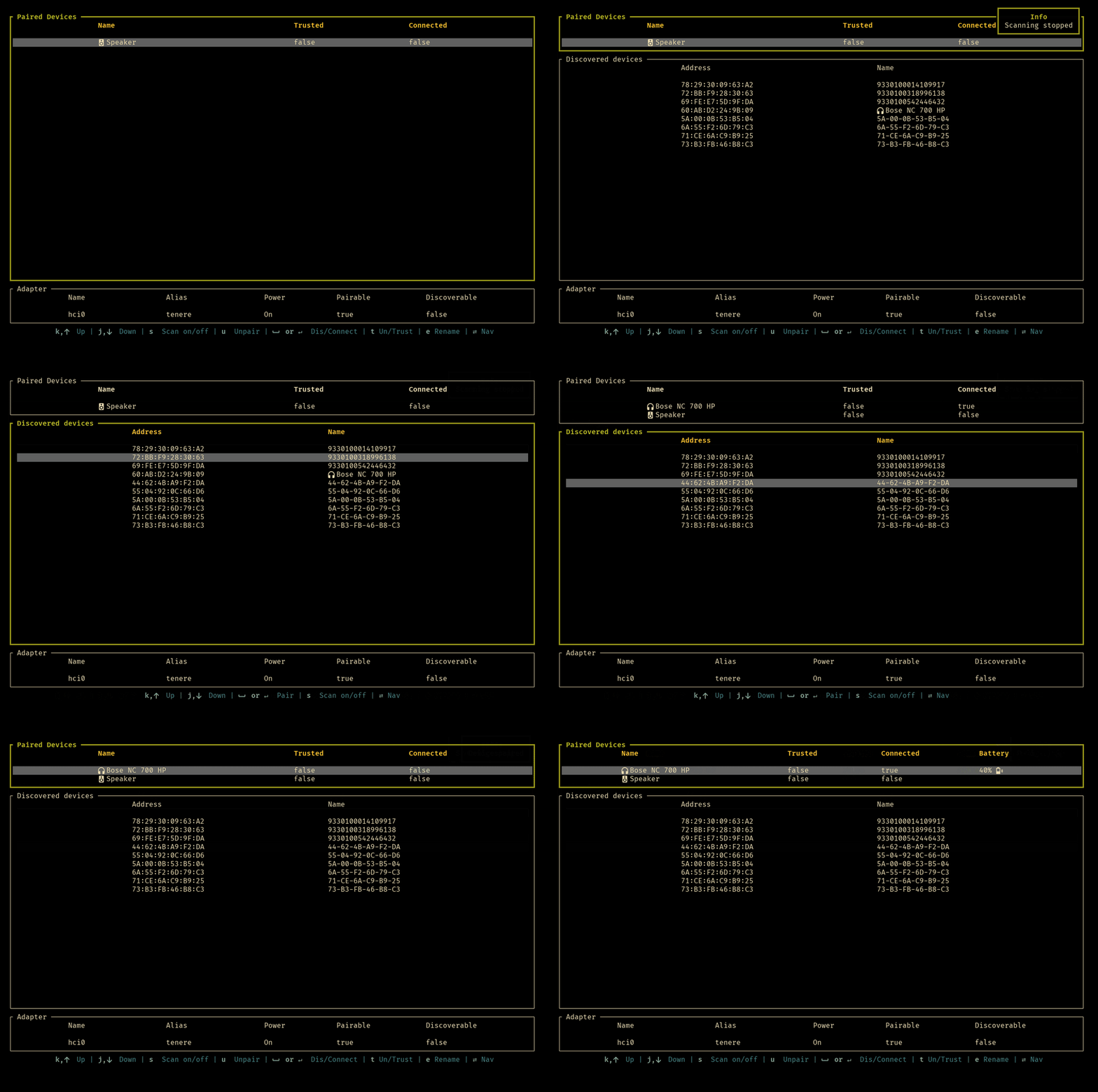
Control Bluetooth devices directly from your terminal. Pair, unpair, rename devices, manage discovery and power settings with customizable keybindings.
bluetui is a terminal user interface tool designed for managing Bluetooth devices on Linux systems. It provides a keyboard-driven alternative to graphical interfaces, making it perfect for users who prefer working in the terminal.
Key capabilities include:
- Device Management: Pair or unpair Bluetooth devices with simple keyboard commands
- Device Control: Connect, disconnect, trust, or untrust paired devices
- Adapter Settings: Toggle power, discovery mode, and pairing capabilities
- Device Renaming: Customize device names directly from the terminal
- Scanning Control: Start or stop Bluetooth scanning as needed
- Customizable Keybindings: Configure all keyboard shortcuts through a TOML configuration file for personalized workflows
The tool requires BlueZ (the Linux Bluetooth stack) to be installed on your system. It comes with sensible default keybindings for navigation and operations, and supports Nerd Fonts for enhanced icon display. Whether you're managing multiple Bluetooth devices regularly or prefer terminal-based workflows, bluetui offers an efficient way to handle Bluetooth operations without leaving your terminal.
Install
Cargo
$ cargo install bluetuiFeatures
Config fileNerd Font compatible
Media

Pros
4- Manages Bluetooth devices from the terminal
- Supports pairing, unpairing, and renaming devices
- Customizable keybindings for various actions
- Provides power and discovery settings management
Cons
2- Requires a Linux-based OS with bluez installed
- Nerd Fonts are recommended for proper icon display
Related tools


Categories:
Similar to bluetui