
dysk
Display comprehensive filesystem information including disk usage, free space, mount points and device types. Customize columns, sort metrics, and export to JSON or CSV formats.
dysk is a terminal-based filesystem information tool that goes beyond basic disk usage reporting. It provides detailed insights into your storage devices directly in the command line, making it essential for system administrators, developers, and Linux users who need comprehensive disk monitoring.
Key capabilities include:
- View detailed disk usage, free space, mount points, and device types (SSD, HDD, removable drives, LVM, encrypted volumes)
- Customize displayed columns to focus on the metrics that matter to you
- Sort by various metrics including usage percentage, available space, and device names
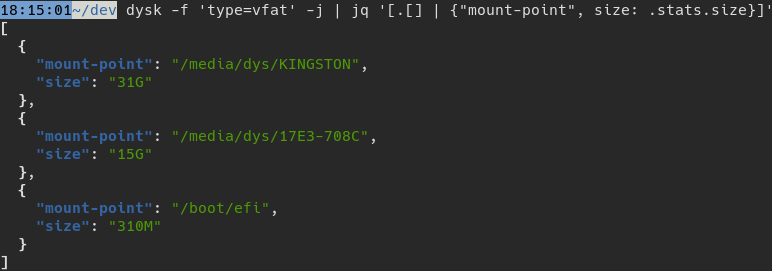
- Export data in JSON or CSV formats for integration with scripts and automation tools
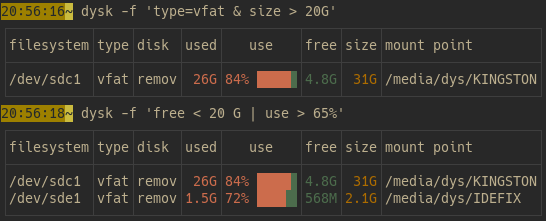
- Filter filesystems by type, usage percentage, or available space to quickly identify relevant storage
- Clean, organized table output that's easy to read and interpret
Whether you're monitoring disk usage patterns, identifying storage bottlenecks, or integrating disk data into monitoring scripts, dysk delivers the detailed information you need without unnecessary complexity. The tool supports both Linux and Mac systems and can be installed via Cargo, Conda, or your system's package manager.
Features
JSON output
Media

Pros
3- Displays comprehensive filesystem information
- Customizable columns, sorting, and export formats
- Supports JSON and CSV output for data processing
Related tools


Categories:
Similar to dysk