
forgit
Use Git interactively with fzf-powered fuzzy finding. Browse branches, commits, stashes, and more through an intuitive TUI with keyboard shortcuts and git aliases.
forgit brings interactive Git workflows to your terminal by combining the power of fzf with a comprehensive set of Git operations. Instead of typing complex Git commands, you can browse and select from branches, commits, files, and stashes using fuzzy finding.
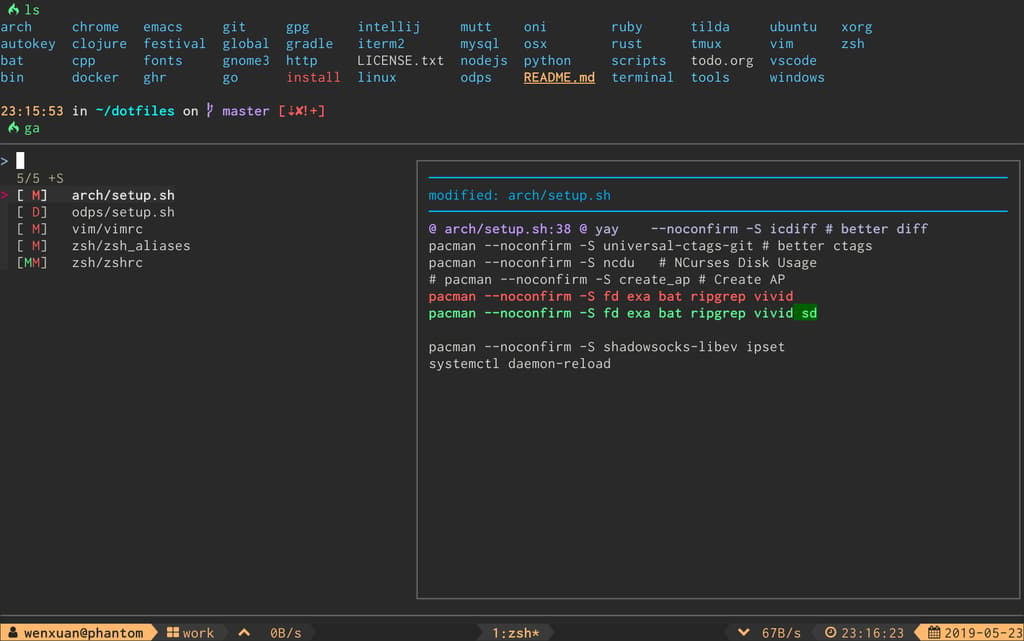
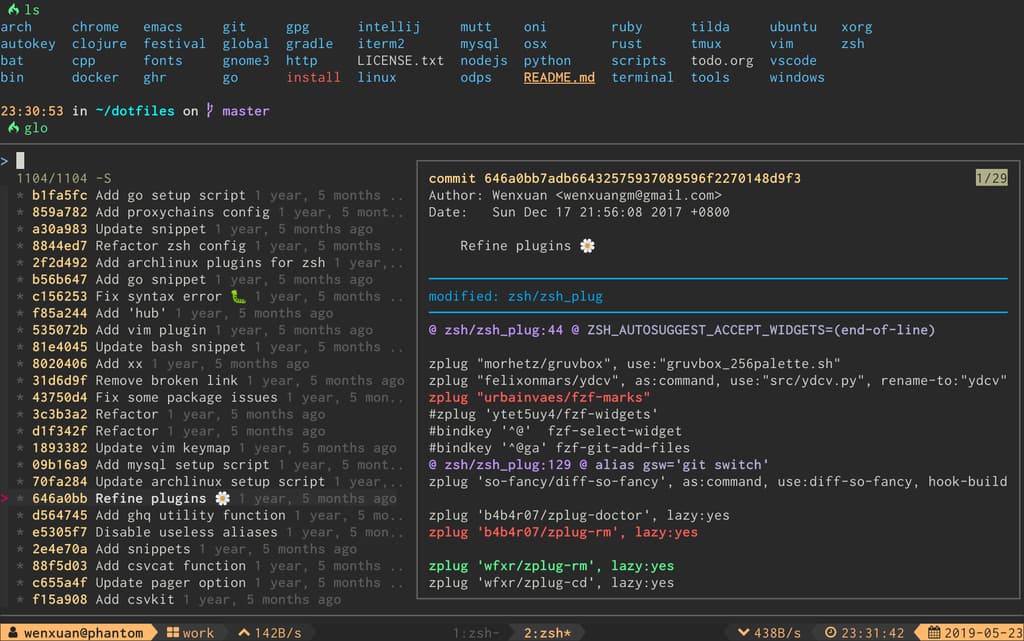
The tool provides over 25 Git shortcuts (like ga for interactive add, glo for log viewing, and gcp for cherry-pick) that work seamlessly across bash, zsh, and fish shells. Each command opens a text-based interface where you can search and select items using keyboard navigation.
Key capabilities include:
- Interactive Git operations: add, checkout, reset, stash, rebase, cherry-pick, and blame
- Log and diff viewing: browse commit history and changes with syntax highlighting
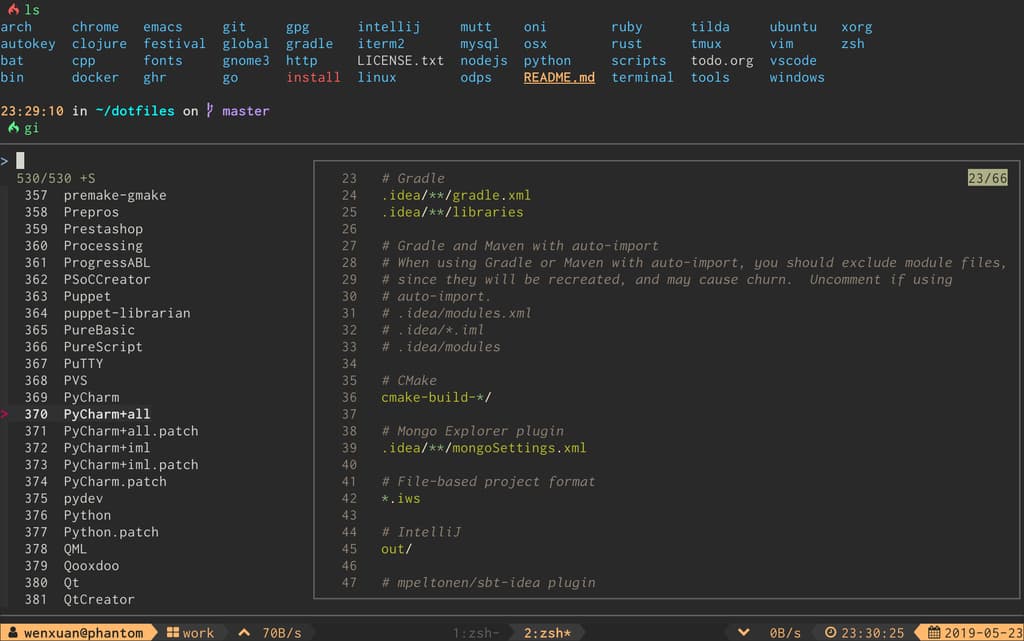
- Gitignore generation: create
.gitignorefiles interactively - Git aliases: use short commands like
glo,gd, andgssinstead of full Git syntax - Optional integrations: pair with delta for better diffs and bat for code syntax highlighting
- Shell completions: tab completion support for all shells
This tool is ideal for developers who spend significant time in the terminal and want to reduce typing while working with Git. It's particularly useful if you already use fzf and prefer keyboard-driven workflows over GUI tools.
Install
$ brew install forgitTerminal features
Features
Media

Pros
4- Provides interactive TUI for Git operations
- Integrates with fzf for fuzzy finding
- Offers shortcuts for common Git commands
- Supports multiple shell environments
Cons
1- Requires fzf to be installed separately
Related tools
Alternatives
3




Similar to forgit