
delta
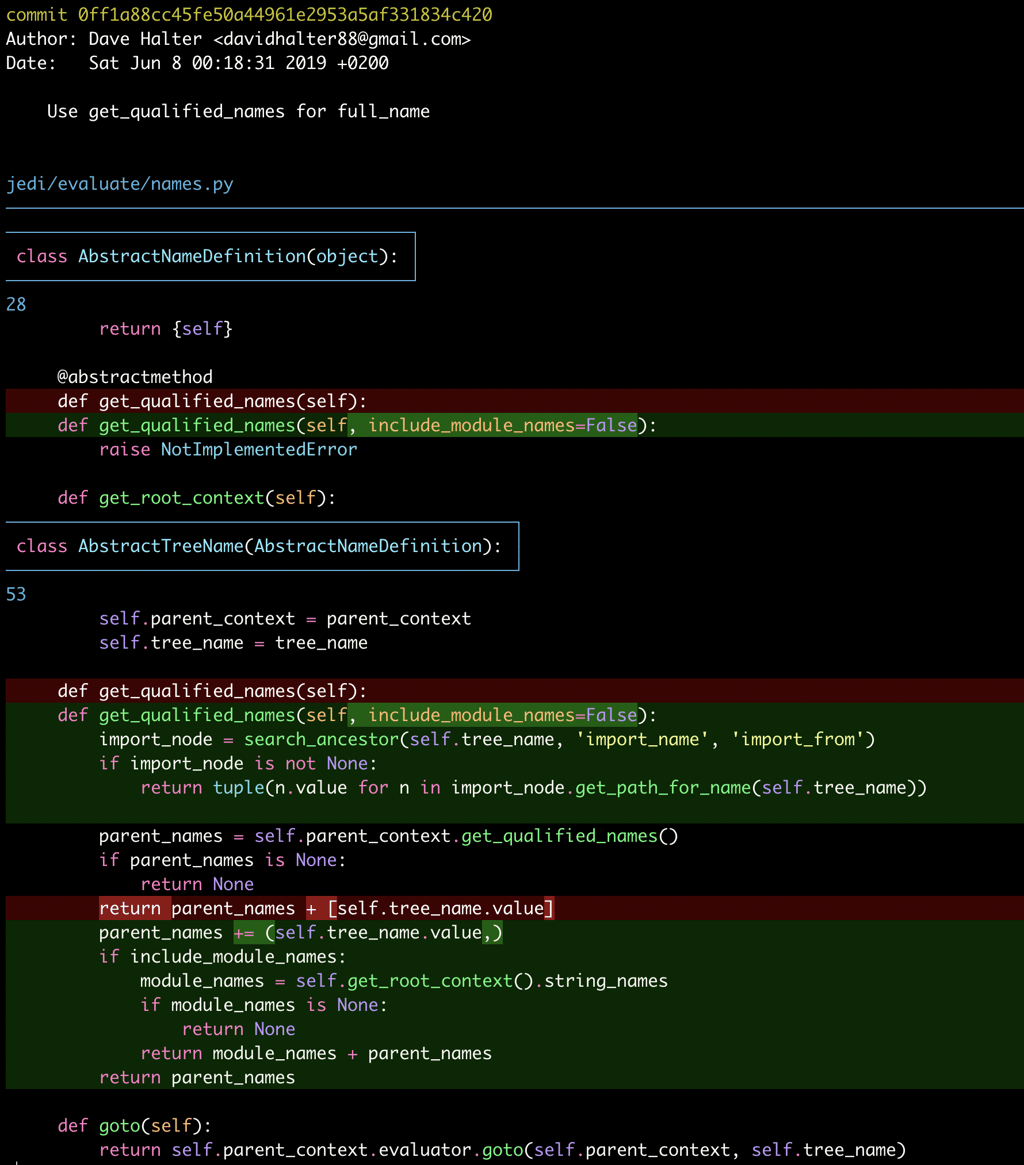
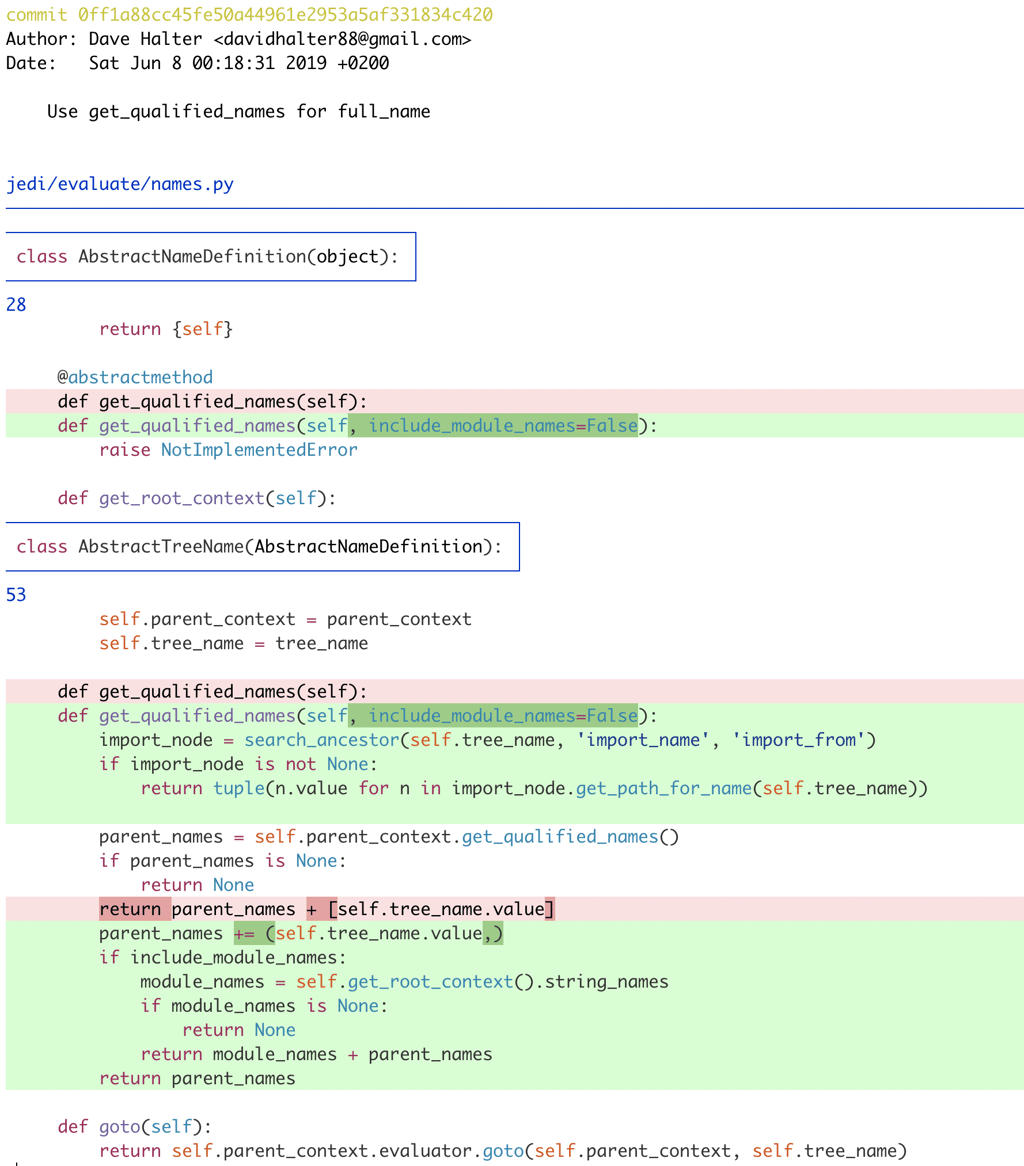
A command-line pager for git diffs with syntax highlighting, word-level change detection, side-by-side views, and extensive customization options.
Delta transforms how you read code changes by combining syntax highlighting with intelligent word-level diff detection to show exactly what changed. Built in Rust for speed and reliability, it replaces git's default pager with a more readable alternative.
Key capabilities include:
- Syntax highlighting using themes from bat, with automatic light/dark detection
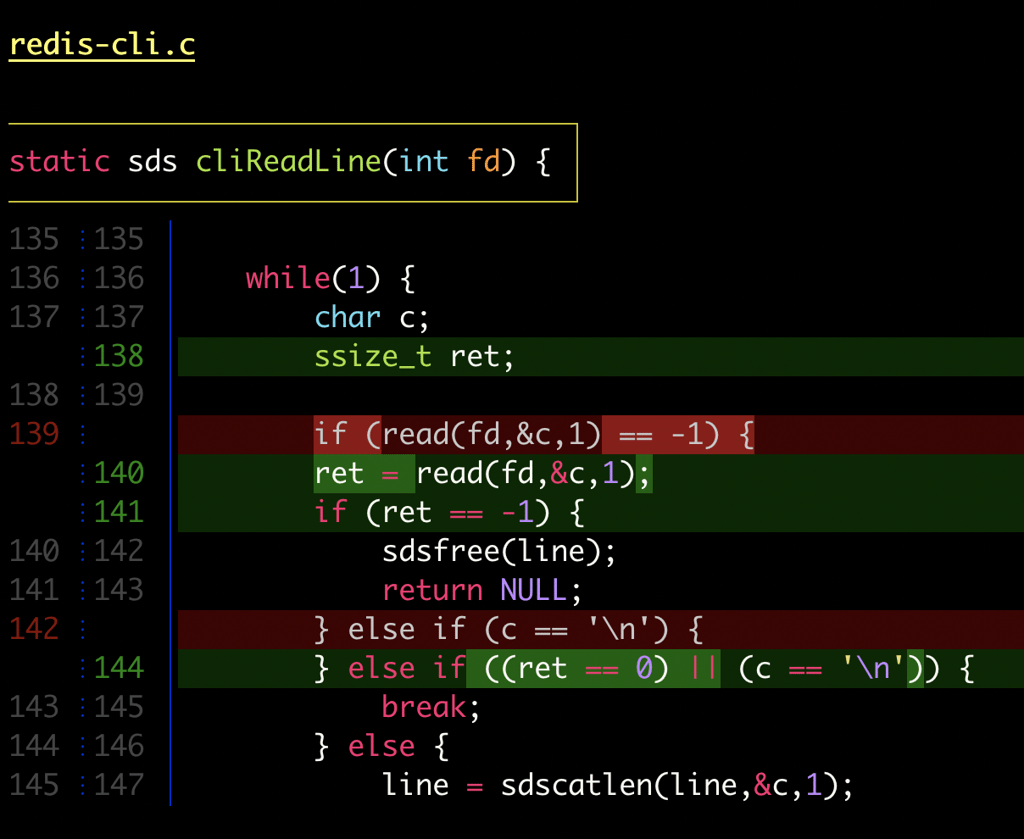
- Word-level change detection using Levenshtein algorithms to highlight precise edits within lines
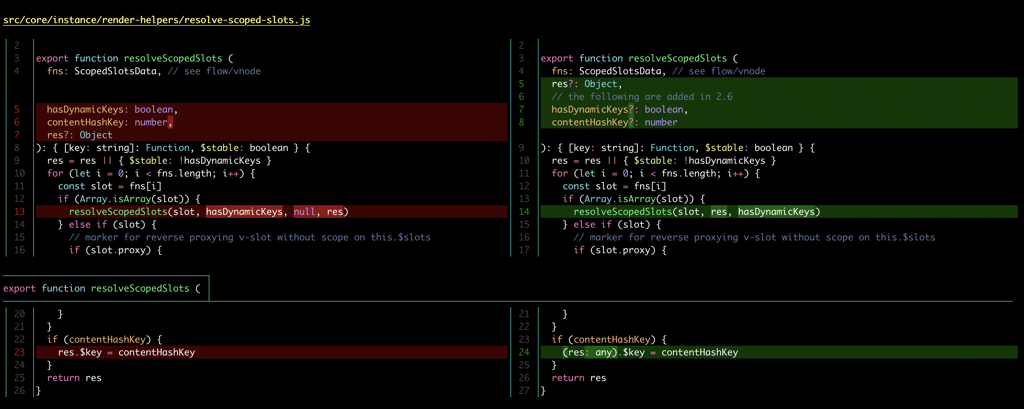
- Side-by-side view with automatic line wrapping for easier comparison
- Line numbering to reference specific changes
- Navigation shortcuts (n/N keys) to jump between files and diffs
- Merge conflict display with improved zdiff3 formatting
- Git blame integration with syntax highlighting and hyperlinks to hosting providers
- Grep output highlighting for ripgrep, git grep, and standard grep
- Hyperlinked commits that open directly in GitHub, GitLab, SourceHut, or Codeberg
- Customizable styling for 20+ elements with color and font attributes
- Copy-friendly output that removes diff markers for direct code copying
Configuration is straightforward—add delta as your git pager and customize appearance through .gitconfig. The tool handles traditional unified diff output alongside git's native format, making it compatible with existing workflows while offering extensive layout and styling options for those who want them.
Features
Config fileTrue color
Terminal features
OSC 8 hyperlinks
Shell features
Syntax highlighting
Media
Pros
4- Syntax highlighting for git diffs and grep output
- Word-level change detection
- Side-by-side view with line wrapping and numbering
- Customizable themes and styling options
Cons
1- Configuration can be extensive for new users
Related tools
Alternatives
3


Works with
10
jujutsu– Modern version control with automatic rebasing and conflict tracking

git-extras– Essential Git commands for faster, smarter version control workflows

gitu– Git operations in your terminal, inspired by Magit for non-Emacs users

git-who– Discover who built your codebase with aggregated authorship insights

git-standup– Review your work history across all repositories instantly

git-stats– Visualize your git commit history with GitHub-style contribution calendars
Similar to delta