
h-m-m
Create and organize mind maps with keyboard shortcuts in a lightweight terminal tool. Features hierarchical node editing, search, export, and collaborative ranking capabilities.
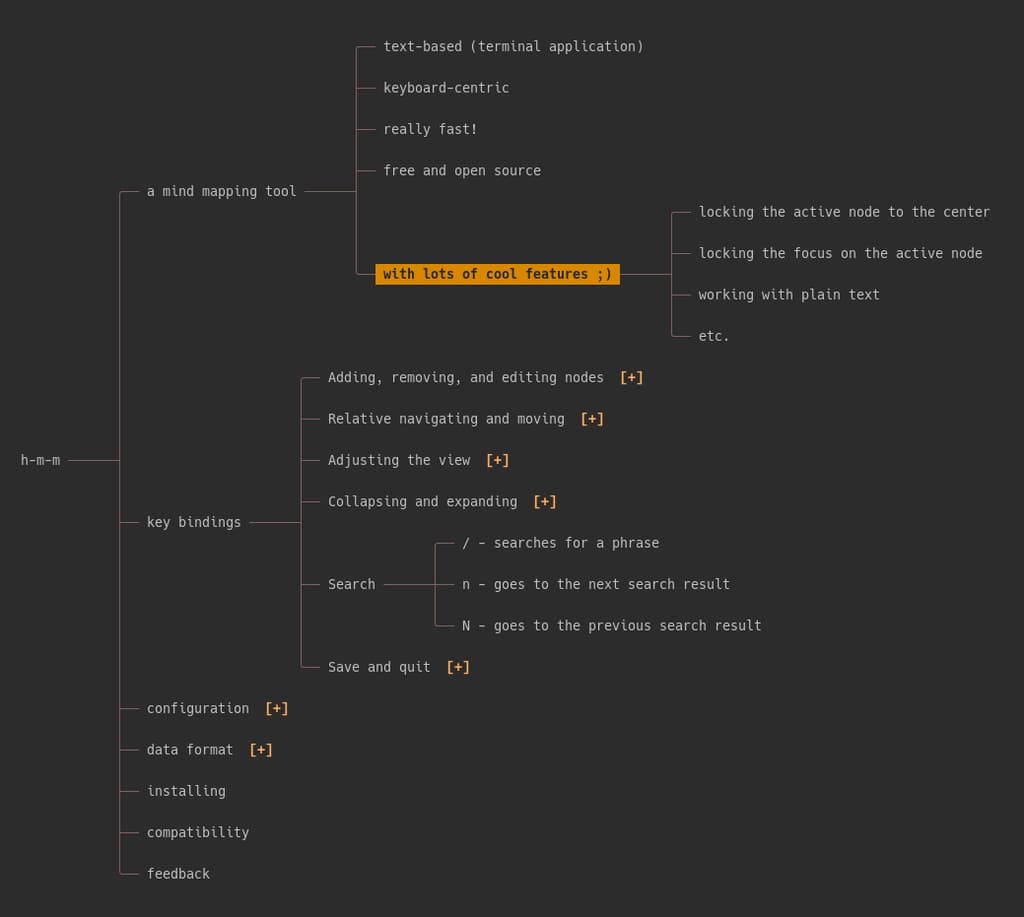
h-m-m is a keyboard-centric terminal-based mind mapping tool designed for speed and efficiency. Built for users who prefer working in the command line, it lets you create, organize, and manipulate hierarchical mind maps without touching the mouse.
Key capabilities include:
- Node management: Create siblings and children with single keystrokes, copy/paste entire branches, and undo changes instantly
- Flexible editing: Edit node titles with intuitive commands, append text to existing nodes, and maintain complex hierarchies effortlessly
- Visual organization: Toggle node visibility, collapse/expand sections at any depth, focus on specific branches, and adjust spacing and width to suit your needs
- Ranking system: Vote on ideas with positive and negative points, or use star ratings to prioritize options during group workshops
- Search functionality: Find phrases across your entire map and navigate between results
- Export options: Save as HTML files or export text maps directly to clipboard
- Customizable: Configure colors, key bindings, clipboard behavior, and auto-save settings through a simple config file
- Marks and symbols: Add checkmarks, crosses, numbers, and stars to track status and priority
The tool uses vim-style navigation (hjkl keys) combined with intuitive mnemonics, making it accessible to both terminal veterans and newcomers. Whether you're brainstorming alone or facilitating group decision-making, h-m-m provides the speed and flexibility to keep pace with your thinking.
Install
Nix
$ nix profile install githubFeatures
Config fileScriptable
Media
Pros
4- Lightweight terminal-based mind mapping tool
- Extensive keyboard shortcuts for efficient editing
- Supports hierarchical node editing and organization
- Includes search, export, and collaborative ranking features
Cons
1- May have a learning curve due to extensive keyboard shortcuts
Related tools


Categories:
Tags:
Activity score
67/100
Stars
2,295Forks
64Last commit
3 months agoFirst release
4 yearsLicense
GPL-3.0
Auto-fetched .
Similar to h-m-m