
llmfit
Terminal tool that detects your system specs and ranks local LLM models by quality, speed, fit, and memory requirements. Compare hundreds of models instantly.
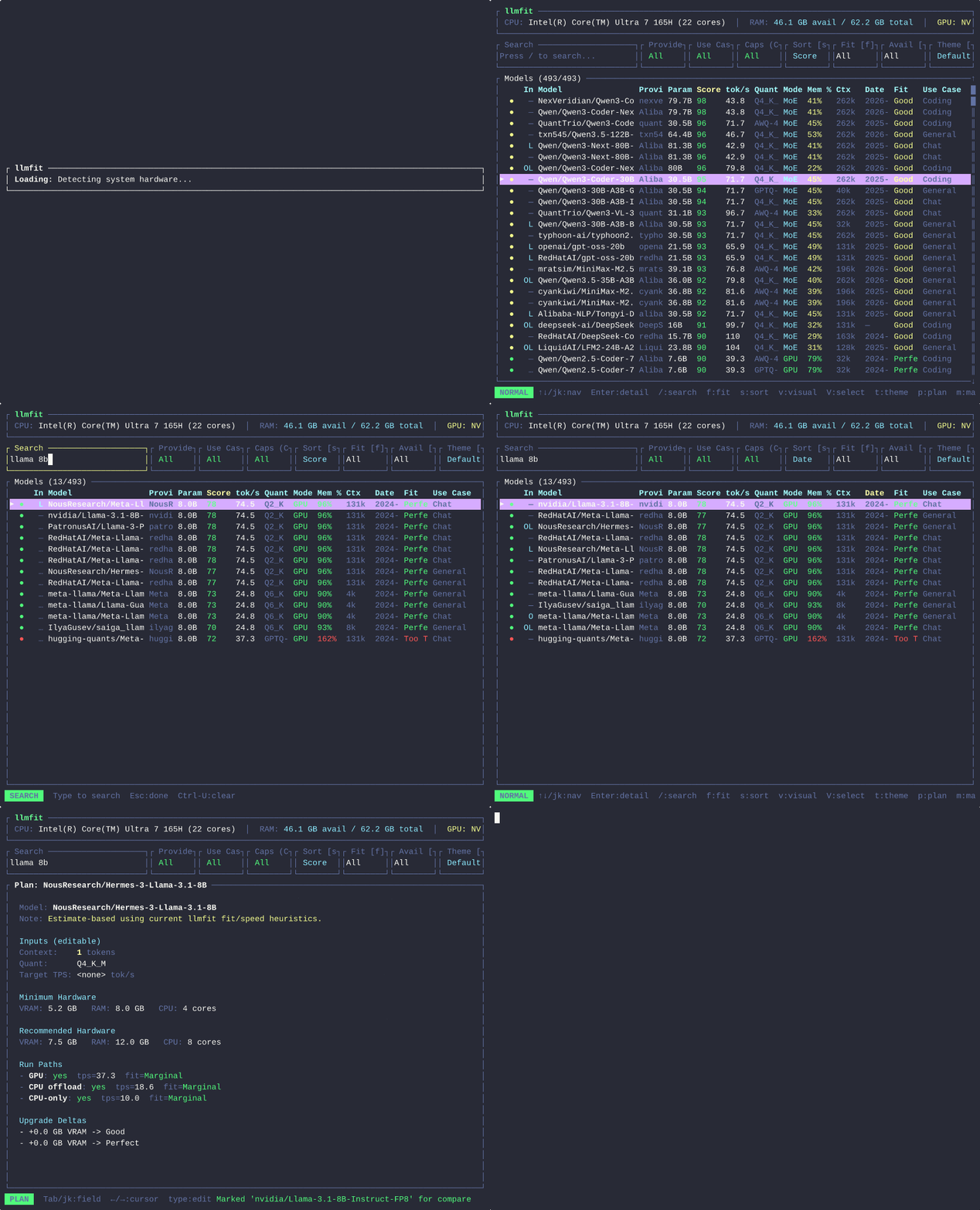
llmfit is a terminal tool that solves the problem of finding which large language models will actually run well on your specific hardware. Instead of guessing or running into memory errors, it automatically detects your system specifications including RAM, VRAM, CPU, GPU, and available inference runtimes, then scores models across multiple dimensions.
The tool analyzes hundreds of models and ranks them by composite score, estimated tokens per second, memory consumption, and how well they fit your hardware constraints. You can filter by over 20 different properties including parameter count, model architecture, quantization type, context size, and capability (reasoning, tool use, chat, coding, multimodal, embedding).
Key capabilities:
- Hardware detection — Automatically identifies your RAM, VRAM, CPU, and GPU specifications
- Smart scoring — Ranks models by quality, speed, fit, and memory efficiency
- Runtime support — Detects and recommends optimal runtimes (vLLM, MLX, llama.cpp, Docker Model Runner, LM Studio, Ollama)
- Advanced filtering — Search by model name, filter by provider, use case, capability, license, and runtime
- Interactive TUI — Navigate with Vim-like keybindings, visual mode for bulk comparison, and detailed model views
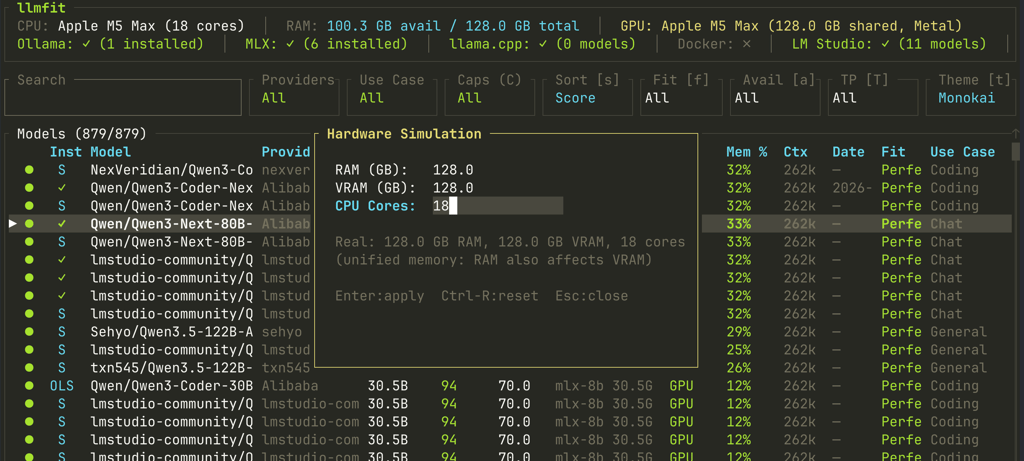
- Hardware simulation — Test how models would perform on different hardware configurations
- Download management — Built-in download manager with history and deletion options
Perfect for AI researchers, developers, engineers, and enthusiasts who want to self-host LLM inference and need to pick the best model for their laptop, desktop, or GPU setup without trial and error.
Install
$ scoop install llmfitTerminal features
Features
Media

Pros
4- Detects system specs and ranks local LLM models
- Supports multiple local LLM runtimes and providers
- Interactive TUI and classic CLI modes available
- Includes hardware simulation and advanced configuration options
Cons
1- Requires specific installation methods per OS (e.g., Scoop, Homebrew)
Related tools




Similar to llmfit