
lnav
Terminal-based log file viewer that merges, searches, and analyzes multiple log files with regex filtering, SQLite queries, and intelligent format detection.
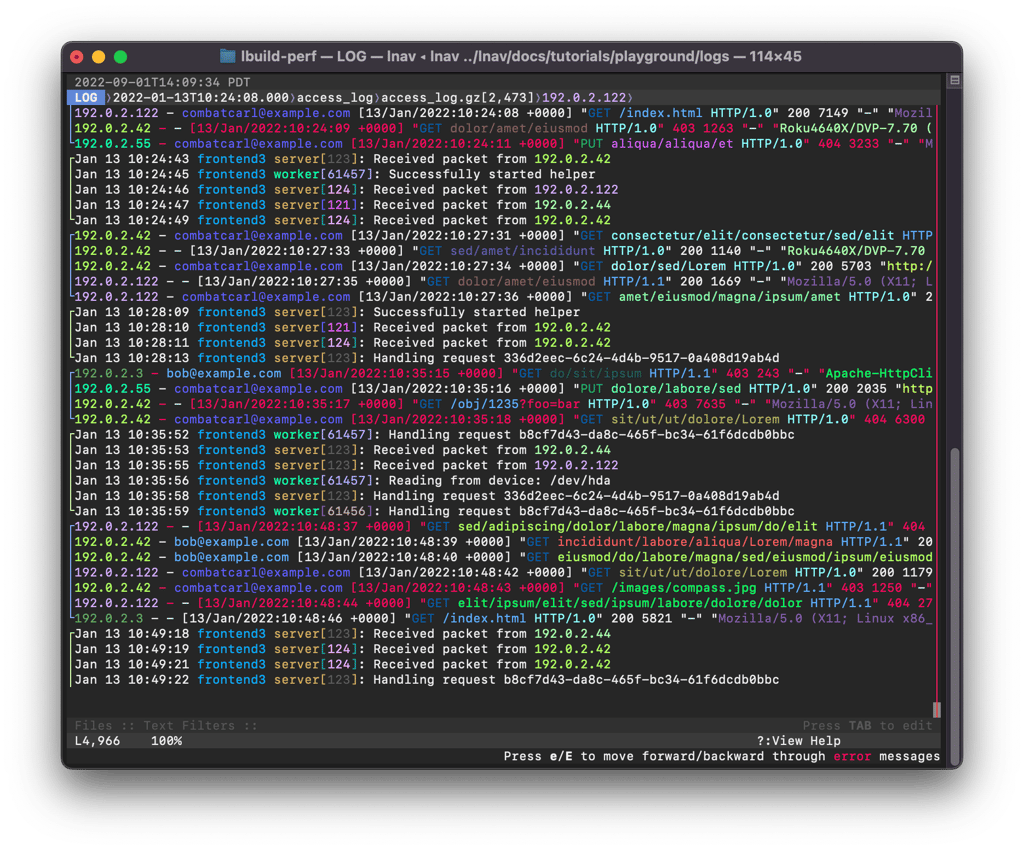
lnav is a powerful ncurses-based log viewer that transforms how you work with log files in the terminal. Instead of juggling multiple tools like tail, grep, and less, lnav provides a unified interface that understands log formats and handles complex log analysis tasks.
Key capabilities include:
- Intelligent log merging: Automatically detects log formats, decompresses files, and merges multiple logs by timestamp into a single chronological view
- Advanced searching: Use regular expressions to find patterns, with semantic highlighting for identifiers like IP addresses and process IDs
- Powerful filtering: Filter logs using regex patterns or SQLite expressions for precise data extraction
- SQL analysis: Query logs directly with SQLite to perform complex analysis and aggregations
- Error tracking: Quickly jump between errors and warnings with dedicated navigation
- Real-time monitoring: Tail multiple files simultaneously, follow renames, and detect new files in directories
- Structured data support: Pretty-print JSON-lines and other structured formats for better readability
- Time-based visualization: View histograms of messages over time to identify patterns and anomalies
Unlike basic Unix utilities, lnav understands log message structure, handles compressed files automatically, and displays multi-line messages correctly. It's ideal for system administrators, engineers, and developers who need to analyze web server logs, audit logs, or application logs efficiently. You can even try lnav online via SSH before installing locally.
Install
$ brew install lnavFeatures
Terminal features
Media
Pros
4- Merges and analyzes multiple log files simultaneously.
- Supports regex filtering and SQLite queries for advanced analysis.
- Intelligent log format detection and decompression.
- Provides a TUI for interactive log navigation and analysis.
Cons
1- May have a learning curve for advanced features like SQLite queries.
Related tools
Alternatives
2



Activity score
91/100
Stars
10,731Forks
409Latest version
v0.14.1Last commit
4 days agoFirst release
17 yearsLanguage
C++License
BSD-2-Clause
Auto-fetched .
Recent releases
- 1 month ago
- 6 months ago
- 6 months ago
- 6 months ago
- 7 months ago
Similar to lnav