
mps-youtube
Search, stream, and download YouTube videos and audio from your terminal. Create playlists, convert formats, and view comments without needing an API key.
A terminal-based YouTube player and downloader that brings video streaming directly to your command line. Unlike web-based alternatives, this tool requires no YouTube API key and works seamlessly across Windows, Linux, and macOS.
Key Features:
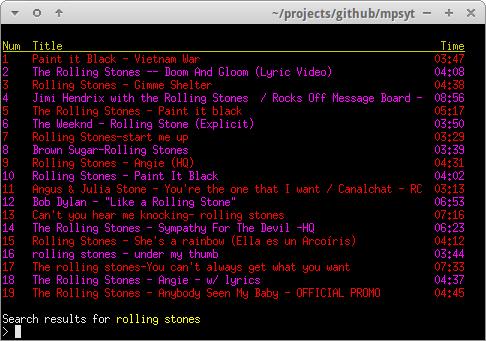
- Search and play audio or video content from YouTube
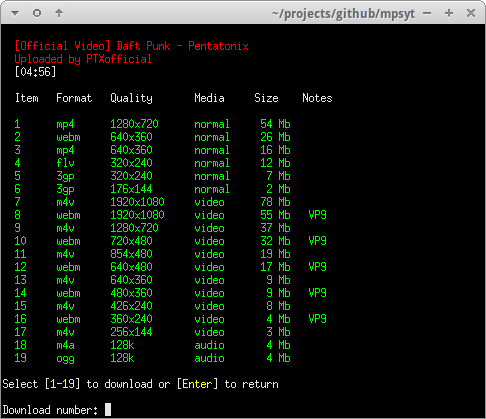
- Download videos and audio in multiple formats and resolutions
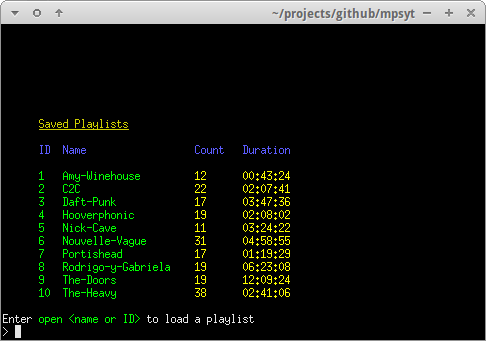
- Create and manage local playlists
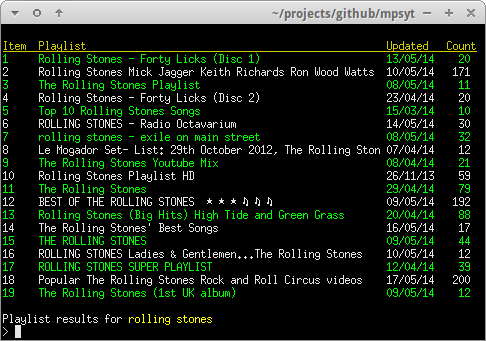
- Import and play YouTube playlists
- Convert downloaded content to MP3 and other formats (with ffmpeg)
- Browse and read YouTube video comments
- Search for complete albums and match individual tracks by title and duration
- Customize search results with additional fields and sorting options
- Support for mpv player with custom input bindings
- MPRIS integration for system media controls
Installation is straightforward - install via pip or pipx, then run the yt command. The tool works with mplayer, mpv, or VLC as playback engines. Advanced users can customize display columns, set playback order, and configure player preferences. Whether you're looking to stream music, download videos, or build curated playlists from YouTube, this terminal player offers a lightweight alternative to browser-based solutions.
Features
Media

Pros
4- Search, stream, and download YouTube videos and audio
- No YouTube API key required
- Create and save local playlists
- Convert audio/video formats
Cons
2- Requires external players like mplayer, mpv, or VLC
- Requires ffmpeg or avconv for format conversion
Related tools



Activity score
58/100
Stars
8,798Forks
669Latest version
v2.13.1Last commit
8 months agoFirst release
13 yearsLanguage
PythonLicense
GPL-3.0
Quiet lately: No commits in 8 months — this project might not be actively maintained.
Auto-fetched .
Recent releases
- 8 months ago
- 2 years ago
- 2 years ago
- 2 years ago
- 2 years ago
Similar to mps-youtube