
timg
Terminal image and video viewer supporting Sixel, Kitty, iTerm2 protocols with fallback to Unicode blocks. Display images, GIFs, and videos in your shell without leaving the command line.
timg is a lightweight terminal image and video viewer that brings visual content directly to your shell environment. Whether you're working remotely over SSH or simply want to preview images without launching a separate application, timg delivers a practical solution.
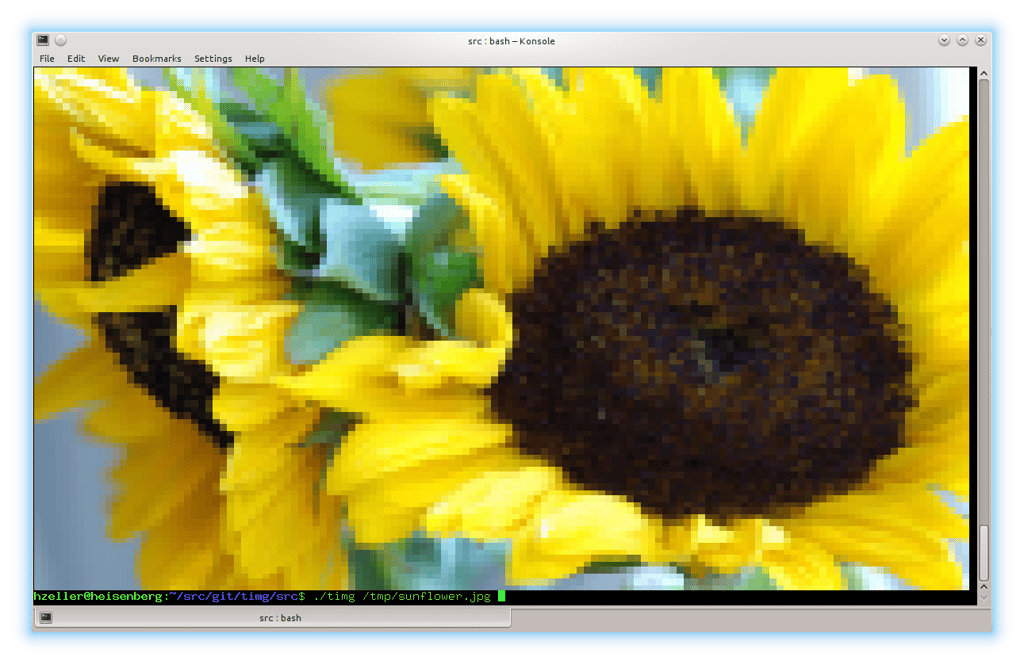
The tool automatically detects your terminal's capabilities and uses the best available rendering method. On modern terminals supporting Sixel, Kitty Graphics Protocol, or iTerm2 Graphics Protocol, images display in full resolution. For terminals without these advanced features, timg falls back to 24-bit color with Unicode character blocks (half-blocks or quarter-blocks), which remain surprisingly effective for quick visual checks.
Key capabilities include:
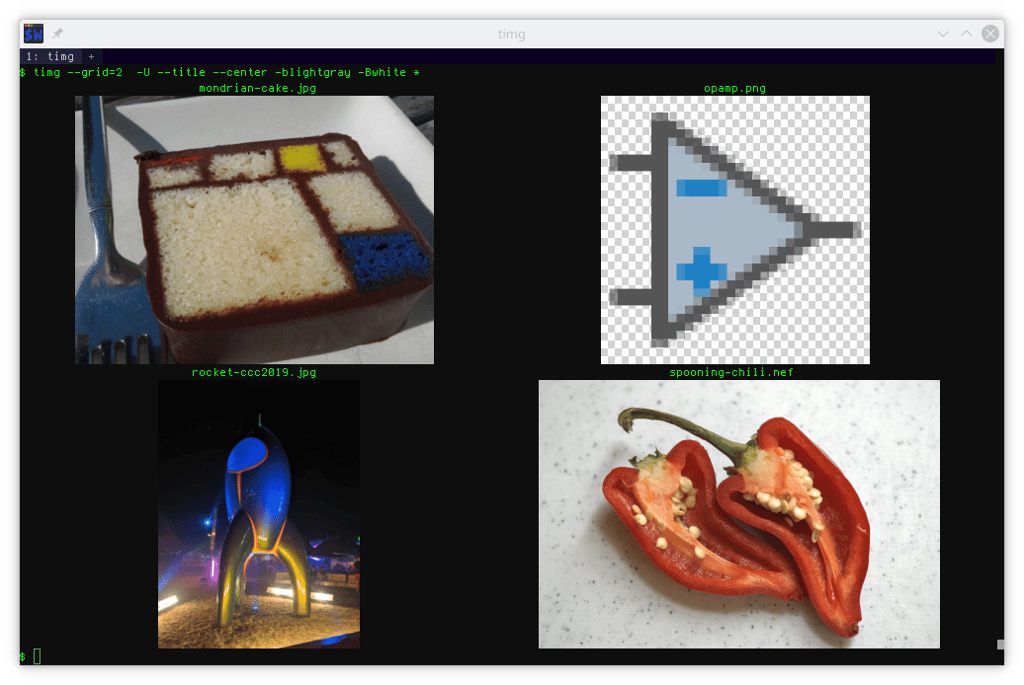
- Display single images or arrange multiple images in customizable grids
- Play animated GIFs and video files with loop control
- Scroll large static images horizontally within the terminal
- Auto-detect terminal graphics support or manually specify pixelation mode
- Scale images to fit available space or upscale small icons
- Apply background colors and checkerboard patterns for transparent images
- Rotate images based on EXIF orientation data
- Add titles and filenames above images for easy identification
- Output to files for later viewing with
catorless
The command-line interface is straightforward, accepting multiple image and video filenames with options for grid layout, wait times between images, and output geometry. Since output is emitted inline with minimal terminal disruption, you can scroll back through your history to review previously displayed images. Perfect for system administrators, developers, and anyone who spends significant time in the terminal.
Install
$ apt install timg$ apt install cmake$ apt install libgraphicsmagick++-dev$ apt install libsixel-dev$ apt install libavcodec-dev$ apt install libavdevice-dev$ apt install libopenslide-dev$ apt install libpoppler-glib-dev$ apt install pandocTerminal features
Features
Media
Pros
4- Supports multiple image display protocols (Sixel, Kitty, iTerm2)
- Graceful fallback to Unicode blocks for compatibility
- Displays images, GIFs, and videos directly in the terminal
- Useful for remote SSH sessions without leaving the command line
Related tools

Similar to timg